Introduction #
Shared datasets (common datasets) allow one dataset’s query results to be used by multiple charts simultaneously, avoiding duplicate queries of the same data and significantly improving page loading performance. Suitable for scenarios where multiple charts show different perspectives of the same data source.
Use Cases #
- Optimize queries by querying all data once in one dataset and distributing
- Reduce waste from duplicate queries, query same data only once
Usage #
- In the dashboard development interface, “Add” -> “Shared Data”
- Configure in “Settings” -> “Advanced” -> “Advanced Settings”
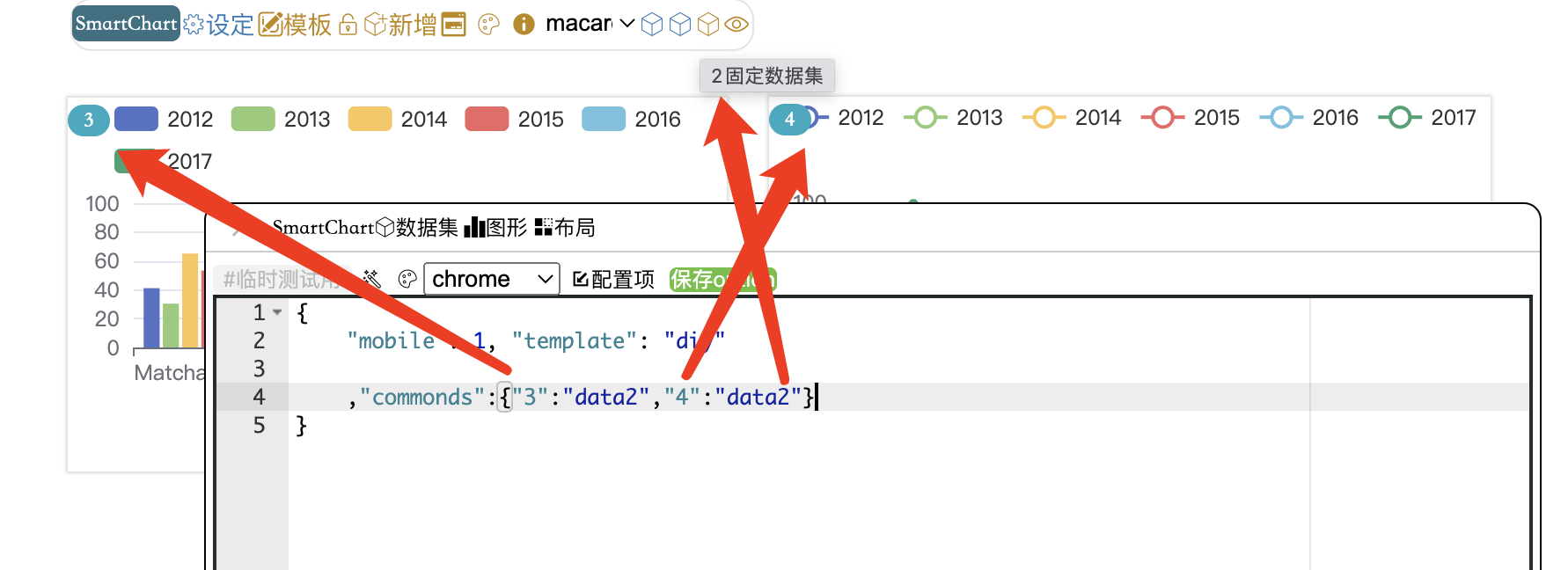
- Charts 3 and 4 are mapped to the shared dataset (#2) data
You can also use the global variable “data_index” in any JS. E.g., data2
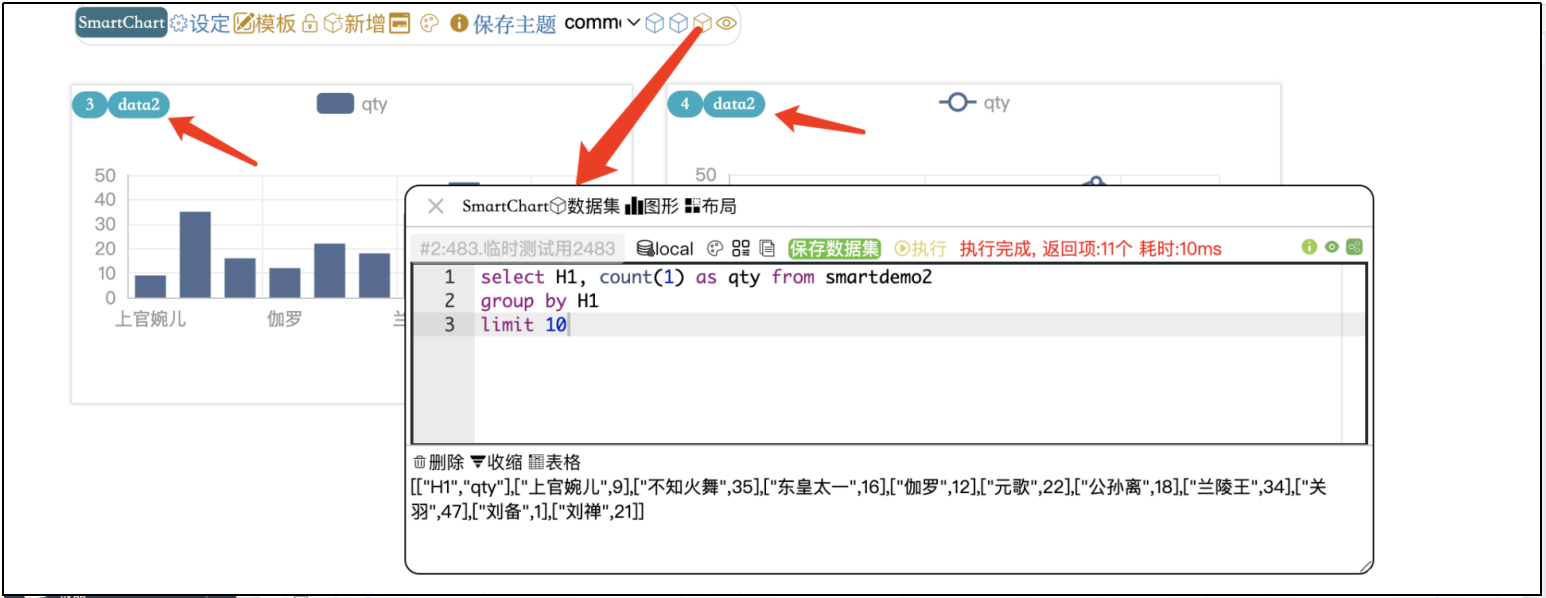
- You can also write multiple SQL queries in the dataset
-- Hero 1
select H1, count(1) as qty1 from smartdemo2
group by H1
limit 10;
-- Hero 2
select H2, count(1) as qty2 from smartdemo2
group by H2
limit 10
- Then configure data mapping in “Settings” -> “Advanced” -> “Advanced Settings”
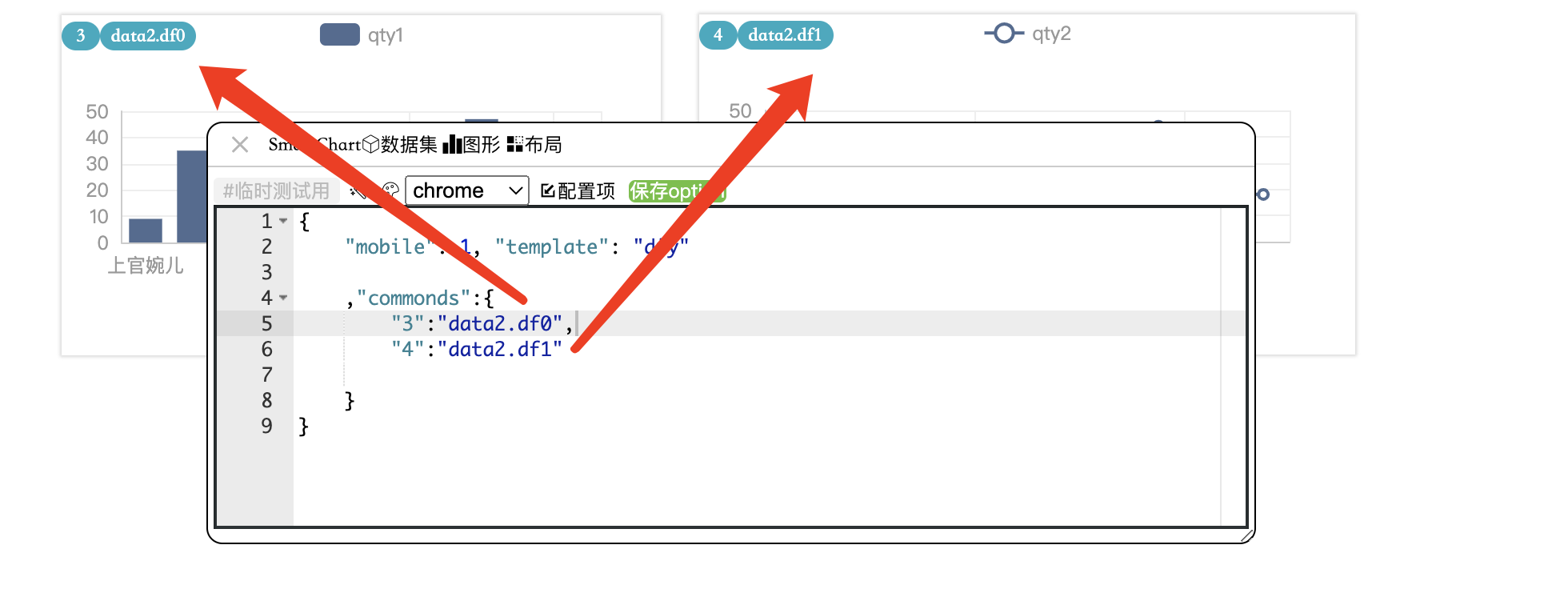
Accessing shared data in chart:
// Assuming shared dataset is #2, multi-segment query
let df0 = data2.df0;  // First query
let df1 = data2.df1;  // Second query
// Or use __dataset__ directly after mapping
Note: Before V6.3, shared dataset index must be smaller than referencing datasets. If shared data is #3, dataset #2 cannot reference it.