Introduction #
SmartChart supports using Excel data as a data source. You can create fixed datasets from Excel data or upload Excel files for processing. This is useful when you need to use Excel data without importing it into a database.
Use Cases #
- Display Excel data directly in dashboards
- Use Excel as a temporary data source
- Process uploaded Excel files
Method 1: Fixed Dataset #
Create a fixed dataset with Excel data directly in the dataset editor:
dataset = [
    ['Province', 'Sales'],
    ['Guangdong', 10000],
    ['Beijing', 8000],
    ['Shanghai', 9000]
]
Method 2: Upload Excel File #
Upload Excel files through the resource management or data pipeline:
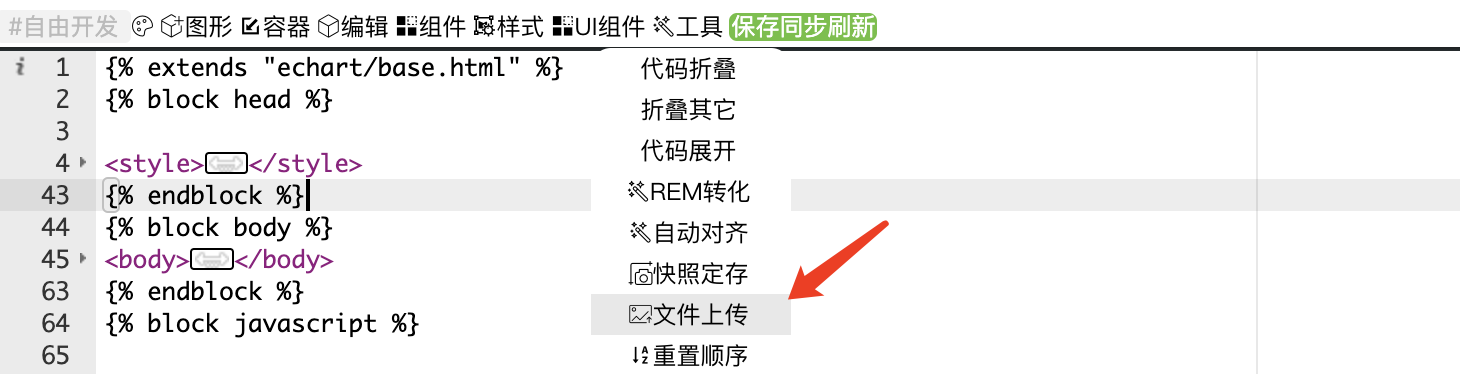
Upload path reference: /static/custom/{dashboardID}/filename.xlsx
Method 3: Python Dataset Reading Excel #
Use Python datasets to read and process Excel files:
import pandas as pd
df = pd.read_excel('/path/to/file.xlsx', 'sheet_name')
df = df.groupby('province').agg({'qty': 'sum'}).reset_index()
ds = ds_list(df)
Excel file names must not contain Chinese characters when uploaded as ZIP packages.